> ## Documentation Index
> Fetch the complete documentation index at: https://wb-21fd5541-docs-sandboxes-integrations-placement.mintlify.site/llms.txt
> Use this file to discover all available pages before exploring further.
# TensorBoard
> Sync TensorBoard logs to W&B for cloud-hosted visualization, sharing, and centralized analysis alongside system metrics.
export const ColabLink = ({url}) =>
Try in Colab
;
W\&B supports embedded TensorBoard for W\&B Multi-tenant Cloud.
Upload your TensorBoard logs to the cloud, quickly share your results among colleagues and classmates and keep your analysis in one centralized location.
## Get started
```python theme={null}
import wandb
# Start a wandb run with `sync_tensorboard=True`
wandb.init(project="my-project", sync_tensorboard=True) as run:
# Your training code using TensorBoard
...
```
Review an [example TensorBoard integration run](https://wandb.ai/rymc/simple-tensorboard-example/runs/oab614zf/tensorboard).
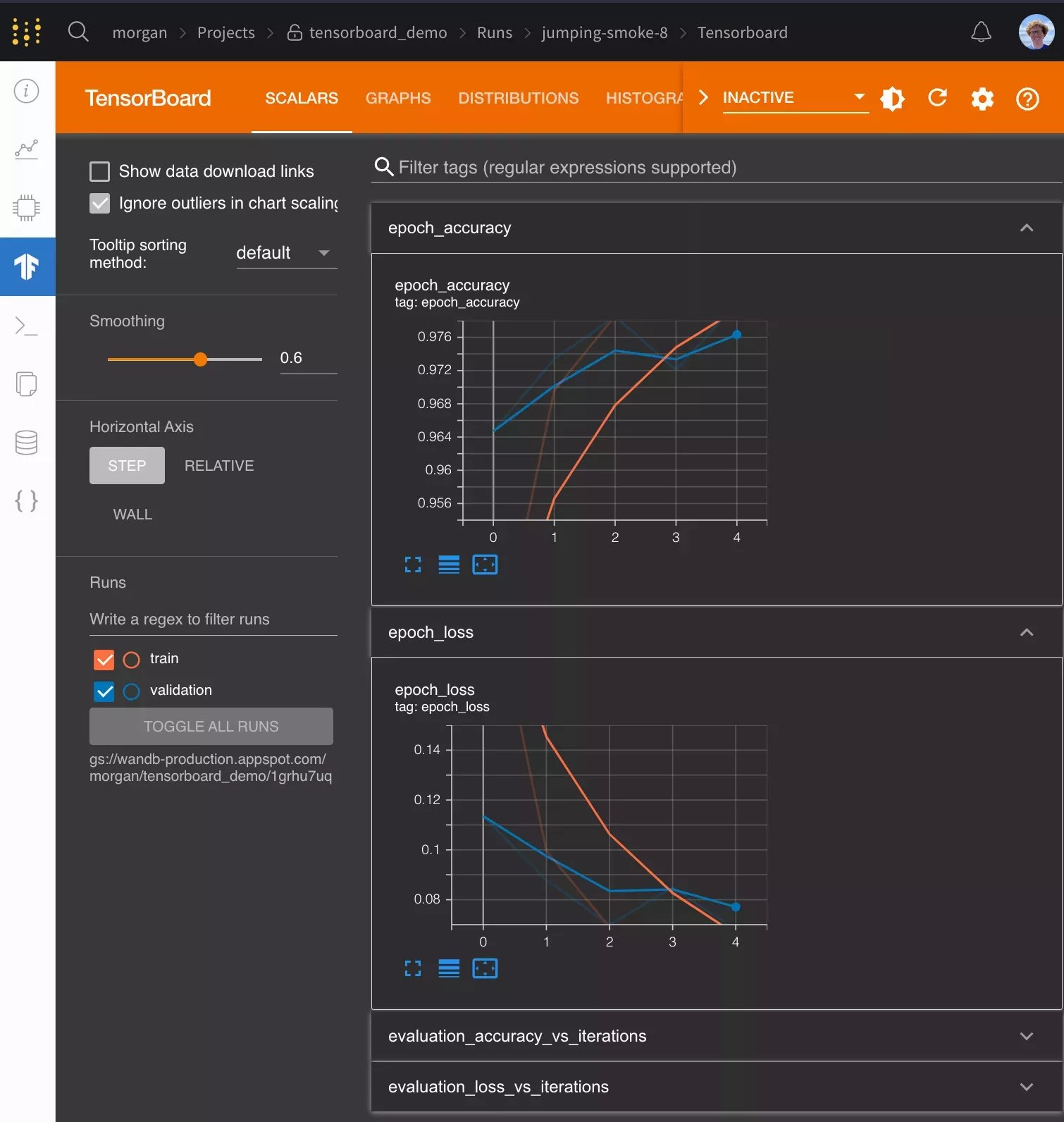
Once your run finishes, you can access your TensorBoard event files in W\&B and you can visualize your metrics in native W\&B charts, together with additional useful information like the system's CPU or GPU utilization, the `git` state, the terminal command the run used, and more.
W\&B supports TensorBoard with all versions of TensorFlow. W\&B also supports TensorBoard 1.14 and higher with PyTorch as well as TensorBoardX.
## Frequently asked questions
### How can I log metrics to W\&B that aren't logged to TensorBoard?
If you need to log additional custom metrics that aren't being logged to TensorBoard, you can call `wandb.Run.log()` in your code `run.log({"custom": 0.8})`
Setting the step argument in `run.log()` is turned off when syncing Tensorboard. If you'd like to set a different step count, you can log the metrics with a step metric as:
`run.log({"custom": 0.8, "global_step": global_step})`
### How do I configure Tensorboard when I'm using it with `wandb`?
If you want more control over how TensorBoard is patched you can call `wandb.tensorboard.patch()` instead of passing `sync_tensorboard=True` to `wandb.init()`.
```python theme={null}
import wandb
wandb.tensorboard.patch(root_logdir="")
run = wandb.init()
# Finish the wandb run to upload the tensorboard logs to W&B (if running in Notebook)
run.finish()
```
You can pass `tensorboard_x=False` to this method to ensure vanilla TensorBoard is patched, if you're using TensorBoard > 1.14 with PyTorch you can pass `pytorch=True` to ensure it's patched. Both of these options have smart defaults depending on what versions of these libraries have been imported.
By default, we also sync the `tfevents` files and any `.pbtxt` files. This enables us to launch a TensorBoard instance on your behalf. You will see a [TensorBoard tab](https://www.wandb.com/articles/hosted-tensorboard) on the run page. This behavior can be turned off by passing `save=False` to `wandb.tensorboard.patch`
```python theme={null}
import wandb
run = wandb.init()
wandb.tensorboard.patch(save=False, tensorboard_x=True)
# If running in a notebook, finish the wandb run to upload the tensorboard logs to W&B
run.finish()
```
You must call either `wandb.init()` or `wandb.tensorboard.patch()` **before** calling `tf.summary.create_file_writer()` or constructing a `SummaryWriter` via `torch.utils.tensorboard`.
### How do I sync historical TensorBoard runs?
If you have existing `tfevents` files stored locally and you would like to import them into W\&B, you can run `wandb sync log_dir`, where `log_dir` is a local directory containing the `tfevents` files.
### How do I use Google Colab or Jupyter with TensorBoard?
If running your code in a Jupyter or Colab notebook, make sure to call `wandb.Run.finish()` and the end of your training. This will finish the wandb run and upload the tensorboard logs to W\&B so they can be visualized. This is not necessary when running a `.py` script as wandb finishes automatically when a script finishes.
To run shell commands in a notebook environment, you must prepend a `!`, as in `!wandb sync directoryname`.
### How do I use PyTorch with TensorBoard?
If you use PyTorch's TensorBoard integration, you may need to manually upload the PyTorch Profiler JSON file.
```python theme={null}
with wandb.init(project="my-project", sync_tensorboard=True) as run:
run.save(glob.glob(f"runs/*.pt.trace.json")[0], base_path=f"runs")
```
### Can I sync tfevents files stored in the cloud?
`wandb` 0.20.0 and above supports syncing `tfevents` files stored in S3, GCS or Azure. `wandb` uses the default credentials for each cloud provider, corresponding to the commands in the following table:
| Cloud provider | Credentials | Logging directory format |
| -------------- | --------------------------------------- | ------------------------------------- |
| S3 | `aws configure` | `s3://bucket/path/to/logs` |
| GCS | `gcloud auth application-default login` | `gs://bucket/path/to/logs` |
| Azure | `az login`[^1] | `az://account/container/path/to/logs` |
[^1]: You must also set the `AZURE_STORAGE_ACCOUNT` and `AZURE_STORAGE_KEY` environment variables.
 ## Get started
```python theme={null}
import wandb
# Start a wandb run with `sync_tensorboard=True`
wandb.init(project="my-project", sync_tensorboard=True) as run:
# Your training code using TensorBoard
...
```
Review an [example TensorBoard integration run](https://wandb.ai/rymc/simple-tensorboard-example/runs/oab614zf/tensorboard).
Once your run finishes, you can access your TensorBoard event files in W\&B and you can visualize your metrics in native W\&B charts, together with additional useful information like the system's CPU or GPU utilization, the `git` state, the terminal command the run used, and more.
## Get started
```python theme={null}
import wandb
# Start a wandb run with `sync_tensorboard=True`
wandb.init(project="my-project", sync_tensorboard=True) as run:
# Your training code using TensorBoard
...
```
Review an [example TensorBoard integration run](https://wandb.ai/rymc/simple-tensorboard-example/runs/oab614zf/tensorboard).
Once your run finishes, you can access your TensorBoard event files in W\&B and you can visualize your metrics in native W\&B charts, together with additional useful information like the system's CPU or GPU utilization, the `git` state, the terminal command the run used, and more.