> ## Documentation Index
> Fetch the complete documentation index at: https://wb-21fd5541-docs-sandboxes-integrations-placement.mintlify.site/llms.txt
> Use this file to discover all available pages before exploring further.
> Integrate W&B with Prodigy to track annotation workflows, log training metrics, and manage labeled datasets.
# Prodigy
[Prodigy](https://prodi.gy/) is an annotation tool for creating training and evaluation data for machine learning models, error analysis, data inspection & cleaning. [W\&B Tables](/models/tables/tables-walkthrough/) allow you to log, visualize, analyze, and share datasets (and more!) inside W\&B.
The [W\&B integration with Prodigy](https://github.com/wandb/wandb/blob/master/wandb/integration/prodigy/prodigy.py) adds simple and easy-to-use functionality to upload your Prodigy-annotated dataset directly to W\&B for use with Tables.
Run a few lines of code, like these:
```python theme={null}
import wandb
from wandb.integration.prodigy import upload_dataset
with wandb.init(project="prodigy"):
upload_dataset("news_headlines_ner")
```
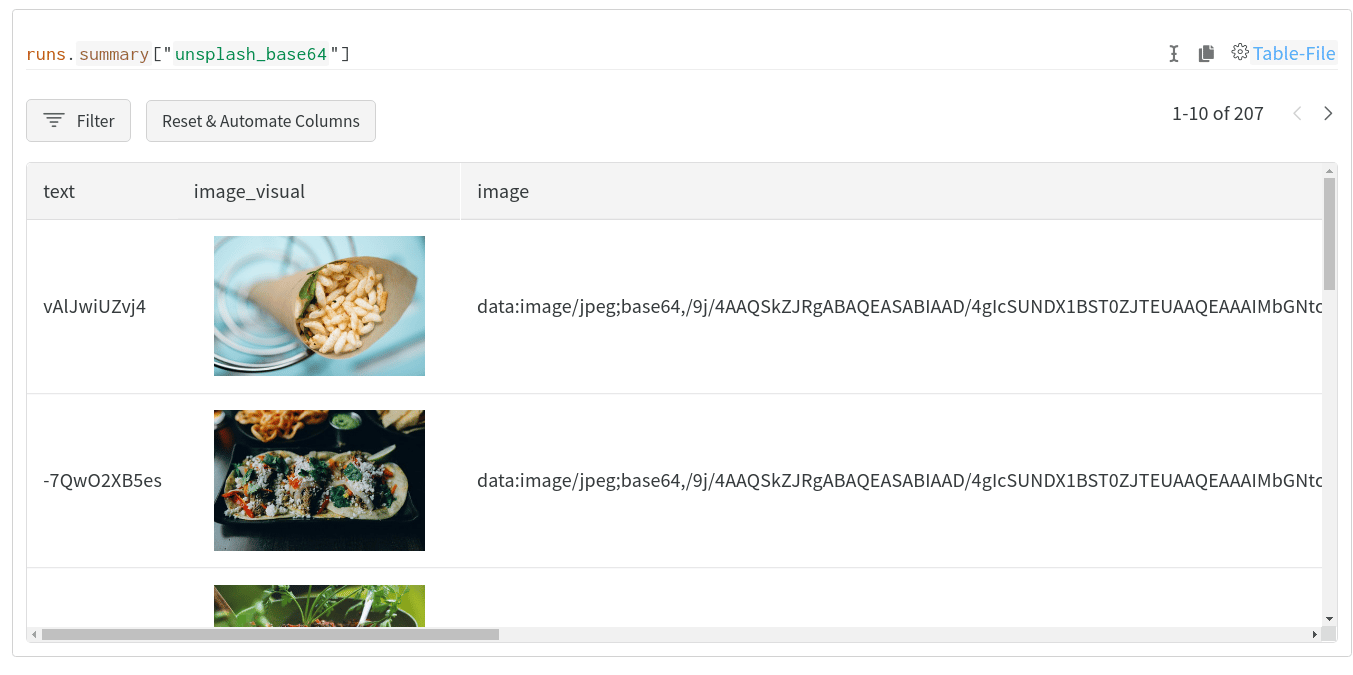
and get visual, interactive, shareable tables like this one:
 ## Quickstart
Use `wandb.integration.prodigy.upload_dataset` to upload your annotated prodigy dataset directly from the local Prodigy database to W\&B in our [Table](/models/ref/python/data-types/table) format. For more information on Prodigy, including installation & setup, please refer to the [Prodigy documentation](https://prodi.gy/docs/).
W\&B will automatically try to convert images and named entity fields to [`wandb.Image`](/models/ref/python/data-types/image) and [`wandb.Html`](/models/ref/python/data-types/html)respectively. Extra columns may be added to the resulting table to include these visualizations.
## Read through a detailed example
Explore the [Visualizing Prodigy Datasets Using W\&B Tables](https://wandb.ai/kshen/prodigy/reports/Visualizing-Prodigy-Datasets-Using-W-B-Tables--Vmlldzo5NDE2MTc) for example visualizations generated with W\&B Prodigy integration.
## Quickstart
Use `wandb.integration.prodigy.upload_dataset` to upload your annotated prodigy dataset directly from the local Prodigy database to W\&B in our [Table](/models/ref/python/data-types/table) format. For more information on Prodigy, including installation & setup, please refer to the [Prodigy documentation](https://prodi.gy/docs/).
W\&B will automatically try to convert images and named entity fields to [`wandb.Image`](/models/ref/python/data-types/image) and [`wandb.Html`](/models/ref/python/data-types/html)respectively. Extra columns may be added to the resulting table to include these visualizations.
## Read through a detailed example
Explore the [Visualizing Prodigy Datasets Using W\&B Tables](https://wandb.ai/kshen/prodigy/reports/Visualizing-Prodigy-Datasets-Using-W-B-Tables--Vmlldzo5NDE2MTc) for example visualizations generated with W\&B Prodigy integration.