> ## Documentation Index
> Fetch the complete documentation index at: https://wb-21fd5541-docs-sandboxes-integrations-placement.mintlify.site/llms.txt
> Use this file to discover all available pages before exploring further.
# Hugging Face AutoTrain
> Use W&B experiment tracking with Hugging Face AutoTrain for no-code model training with a single CLI parameter.
[Hugging Face AutoTrain](https://huggingface.co/docs/autotrain/index) is a no-code tool for training state-of-the-art models for Natural Language Processing (NLP) tasks, for Computer Vision (CV) tasks, and for Speech tasks and even for Tabular tasks.
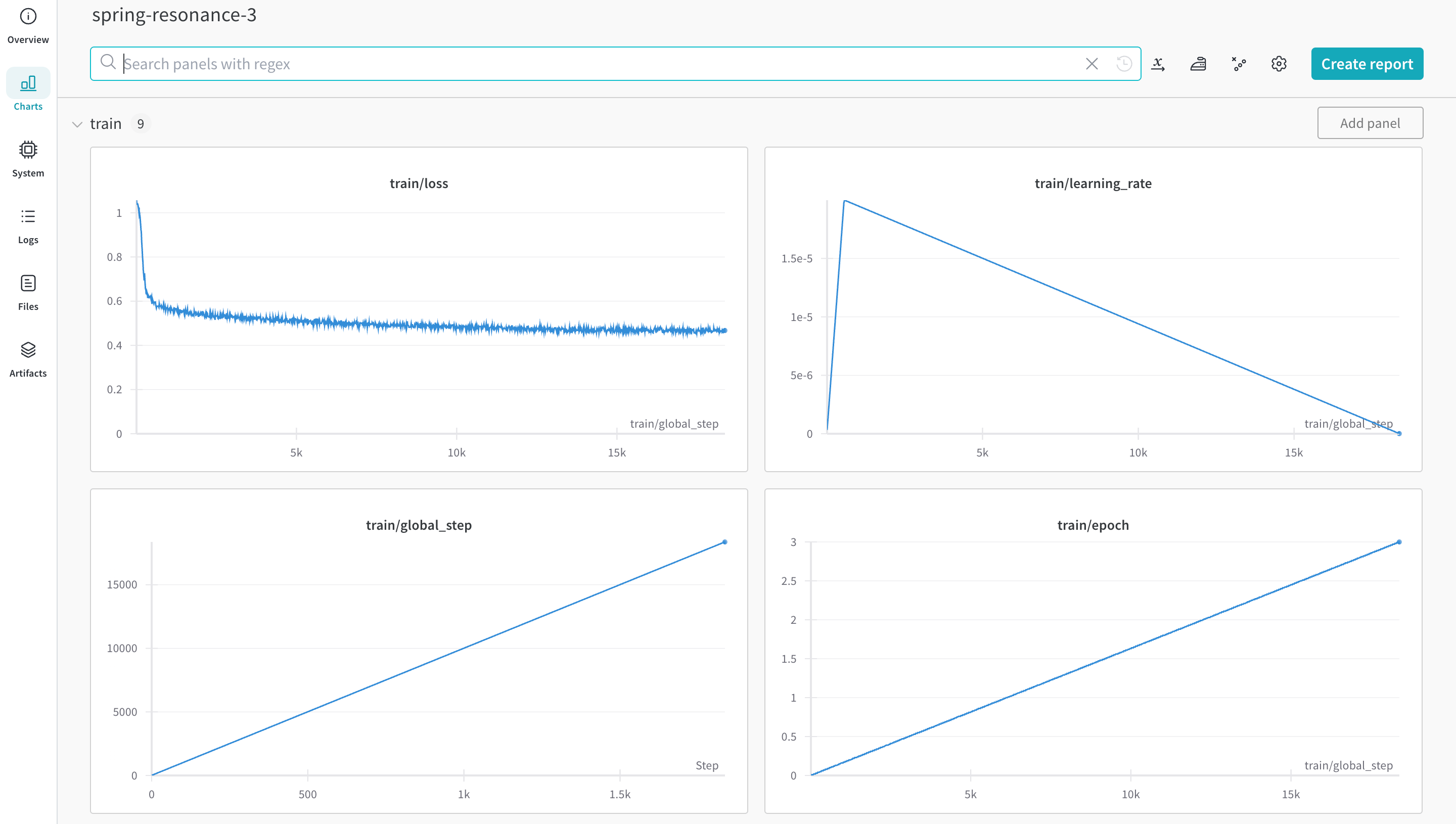
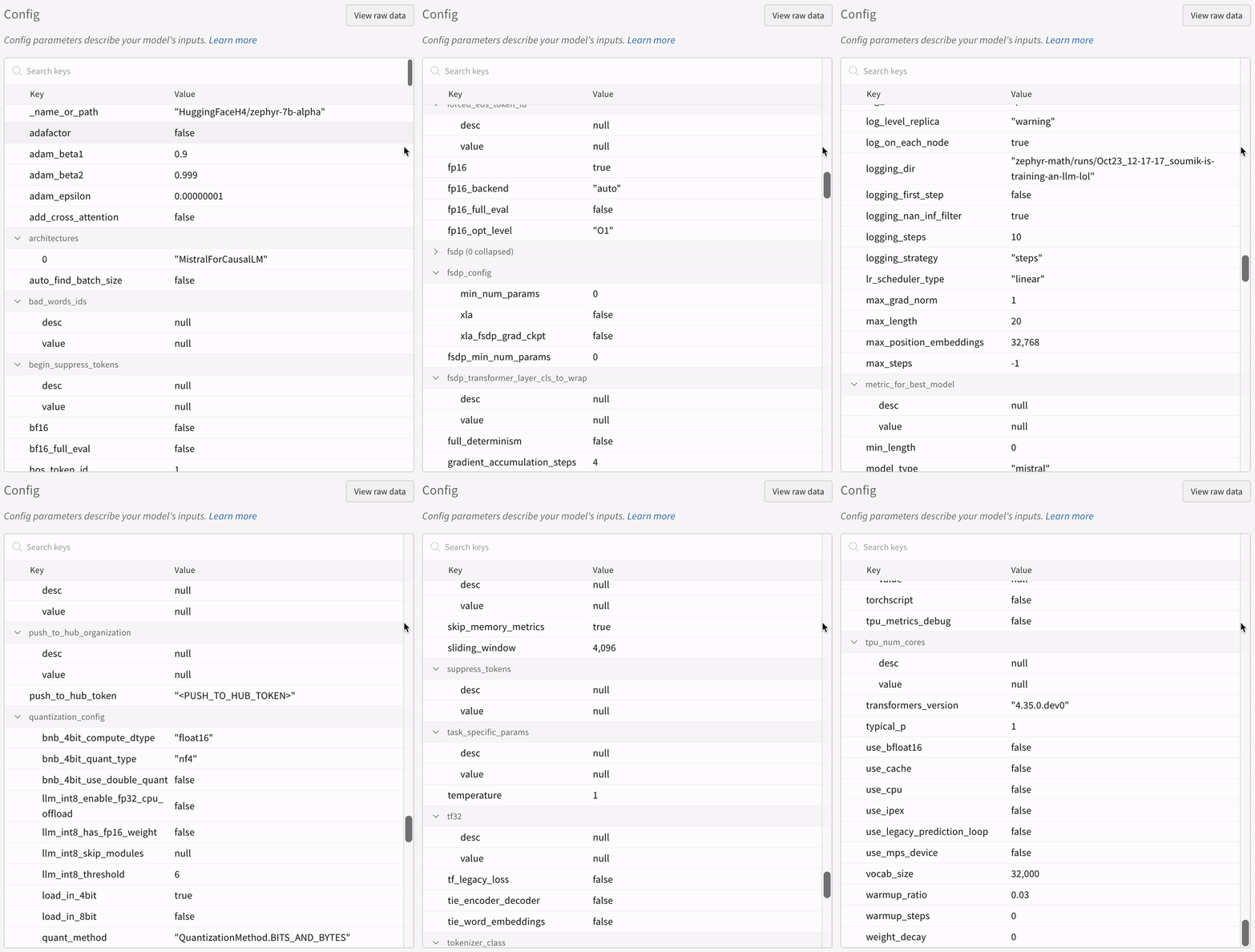
[W\&B](https://wandb.com/) is directly integrated into Hugging Face AutoTrain, providing experiment tracking and config management. It's as easy as using a single parameter in the CLI command for your experiments.
 ## Install prerequisites
Install `autotrain-advanced` and `wandb`.
```shell theme={null}
pip install --upgrade autotrain-advanced wandb
```
```notebook theme={null}
!pip install --upgrade autotrain-advanced wandb
```
To demonstrate these changes, this page fine-tines an LLM on a math dataset to achieve SoTA result in `pass@1` on the [GSM8k Benchmarks](https://github.com/openai/grade-school-math).
## Prepare the dataset
Hugging Face AutoTrain expects your CSV custom dataset to have a specific format to work properly.
* Your training file must contain a `text` column, which the training uses. For best results, the `text` column's data must conform to the `### Human: Question?### Assistant: Answer.` format. Review a great example in [`timdettmers/openassistant-guanaco`](https://huggingface.co/datasets/timdettmers/openassistant-guanaco).
However, the [MetaMathQA dataset](https://huggingface.co/datasets/meta-math/MetaMathQA) includes the columns `query`, `response`, and `type`. First, pre-process this dataset. Remove the `type` column and combine the content of the `query` and `response` columns into a new `text` column in the `### Human: Query?### Assistant: Response.` format. Training uses the resulting dataset, [`rishiraj/guanaco-style-metamath`](https://huggingface.co/datasets/rishiraj/guanaco-style-metamath).
## Train using `autotrain`
You can start training using the `autotrain` advanced from the command line or a notebook. Use the `--log` argument, or use `--log wandb` to log your results to a [W\&B Run](/models/runs/).
```shell theme={null}
autotrain llm \
--train \
--model HuggingFaceH4/zephyr-7b-alpha \
--project-name zephyr-math \
--log wandb \
--data-path data/ \
--text-column text \
--lr 2e-5 \
--batch-size 4 \
--epochs 3 \
--block-size 1024 \
--warmup-ratio 0.03 \
--lora-r 16 \
--lora-alpha 32 \
--lora-dropout 0.05 \
--weight-decay 0.0 \
--gradient-accumulation 4 \
--logging_steps 10 \
--fp16 \
--use-peft \
--use-int4 \
--merge-adapter \
--push-to-hub \
--token \
--repo-id
```
```notebook theme={null}
# Set hyperparameters
learning_rate = 2e-5
num_epochs = 3
batch_size = 4
block_size = 1024
trainer = "sft"
warmup_ratio = 0.03
weight_decay = 0.
gradient_accumulation = 4
lora_r = 16
lora_alpha = 32
lora_dropout = 0.05
logging_steps = 10
# Run training
!autotrain llm \
--train \
--model "HuggingFaceH4/zephyr-7b-alpha" \
--project-name "zephyr-math" \
--log "wandb" \
--data-path data/ \
--text-column text \
--lr str(learning_rate) \
--batch-size str(batch_size) \
--epochs str(num_epochs) \
--block-size str(block_size) \
--warmup-ratio str(warmup_ratio) \
--lora-r str(lora_r) \
--lora-alpha str(lora_alpha) \
--lora-dropout str(lora_dropout) \
--weight-decay str(weight_decay) \
--gradient-accumulation str(gradient_accumulation) \
--logging-steps str(logging_steps) \
--fp16 \
--use-peft \
--use-int4 \
--merge-adapter \
--push-to-hub \
--token str(hf_token) \
--repo-id "rishiraj/zephyr-math"
```
## Install prerequisites
Install `autotrain-advanced` and `wandb`.
```shell theme={null}
pip install --upgrade autotrain-advanced wandb
```
```notebook theme={null}
!pip install --upgrade autotrain-advanced wandb
```
To demonstrate these changes, this page fine-tines an LLM on a math dataset to achieve SoTA result in `pass@1` on the [GSM8k Benchmarks](https://github.com/openai/grade-school-math).
## Prepare the dataset
Hugging Face AutoTrain expects your CSV custom dataset to have a specific format to work properly.
* Your training file must contain a `text` column, which the training uses. For best results, the `text` column's data must conform to the `### Human: Question?### Assistant: Answer.` format. Review a great example in [`timdettmers/openassistant-guanaco`](https://huggingface.co/datasets/timdettmers/openassistant-guanaco).
However, the [MetaMathQA dataset](https://huggingface.co/datasets/meta-math/MetaMathQA) includes the columns `query`, `response`, and `type`. First, pre-process this dataset. Remove the `type` column and combine the content of the `query` and `response` columns into a new `text` column in the `### Human: Query?### Assistant: Response.` format. Training uses the resulting dataset, [`rishiraj/guanaco-style-metamath`](https://huggingface.co/datasets/rishiraj/guanaco-style-metamath).
## Train using `autotrain`
You can start training using the `autotrain` advanced from the command line or a notebook. Use the `--log` argument, or use `--log wandb` to log your results to a [W\&B Run](/models/runs/).
```shell theme={null}
autotrain llm \
--train \
--model HuggingFaceH4/zephyr-7b-alpha \
--project-name zephyr-math \
--log wandb \
--data-path data/ \
--text-column text \
--lr 2e-5 \
--batch-size 4 \
--epochs 3 \
--block-size 1024 \
--warmup-ratio 0.03 \
--lora-r 16 \
--lora-alpha 32 \
--lora-dropout 0.05 \
--weight-decay 0.0 \
--gradient-accumulation 4 \
--logging_steps 10 \
--fp16 \
--use-peft \
--use-int4 \
--merge-adapter \
--push-to-hub \
--token \
--repo-id
```
```notebook theme={null}
# Set hyperparameters
learning_rate = 2e-5
num_epochs = 3
batch_size = 4
block_size = 1024
trainer = "sft"
warmup_ratio = 0.03
weight_decay = 0.
gradient_accumulation = 4
lora_r = 16
lora_alpha = 32
lora_dropout = 0.05
logging_steps = 10
# Run training
!autotrain llm \
--train \
--model "HuggingFaceH4/zephyr-7b-alpha" \
--project-name "zephyr-math" \
--log "wandb" \
--data-path data/ \
--text-column text \
--lr str(learning_rate) \
--batch-size str(batch_size) \
--epochs str(num_epochs) \
--block-size str(block_size) \
--warmup-ratio str(warmup_ratio) \
--lora-r str(lora_r) \
--lora-alpha str(lora_alpha) \
--lora-dropout str(lora_dropout) \
--weight-decay str(weight_decay) \
--gradient-accumulation str(gradient_accumulation) \
--logging-steps str(logging_steps) \
--fp16 \
--use-peft \
--use-int4 \
--merge-adapter \
--push-to-hub \
--token str(hf_token) \
--repo-id "rishiraj/zephyr-math"
```
 ## More resources
* [AutoTrain Advanced now supports Experiment Tracking](https://huggingface.co/blog/rishiraj/log-autotrain) by [Rishiraj Acharya](https://huggingface.co/rishiraj).
* [Hugging Face AutoTrain Docs](https://huggingface.co/docs/autotrain/index)
## More resources
* [AutoTrain Advanced now supports Experiment Tracking](https://huggingface.co/blog/rishiraj/log-autotrain) by [Rishiraj Acharya](https://huggingface.co/rishiraj).
* [Hugging Face AutoTrain Docs](https://huggingface.co/docs/autotrain/index)